Text with formatting
Bold, italic, links, code, quotes — markdown in the editor, native formatting in Telegram.
Scheduling
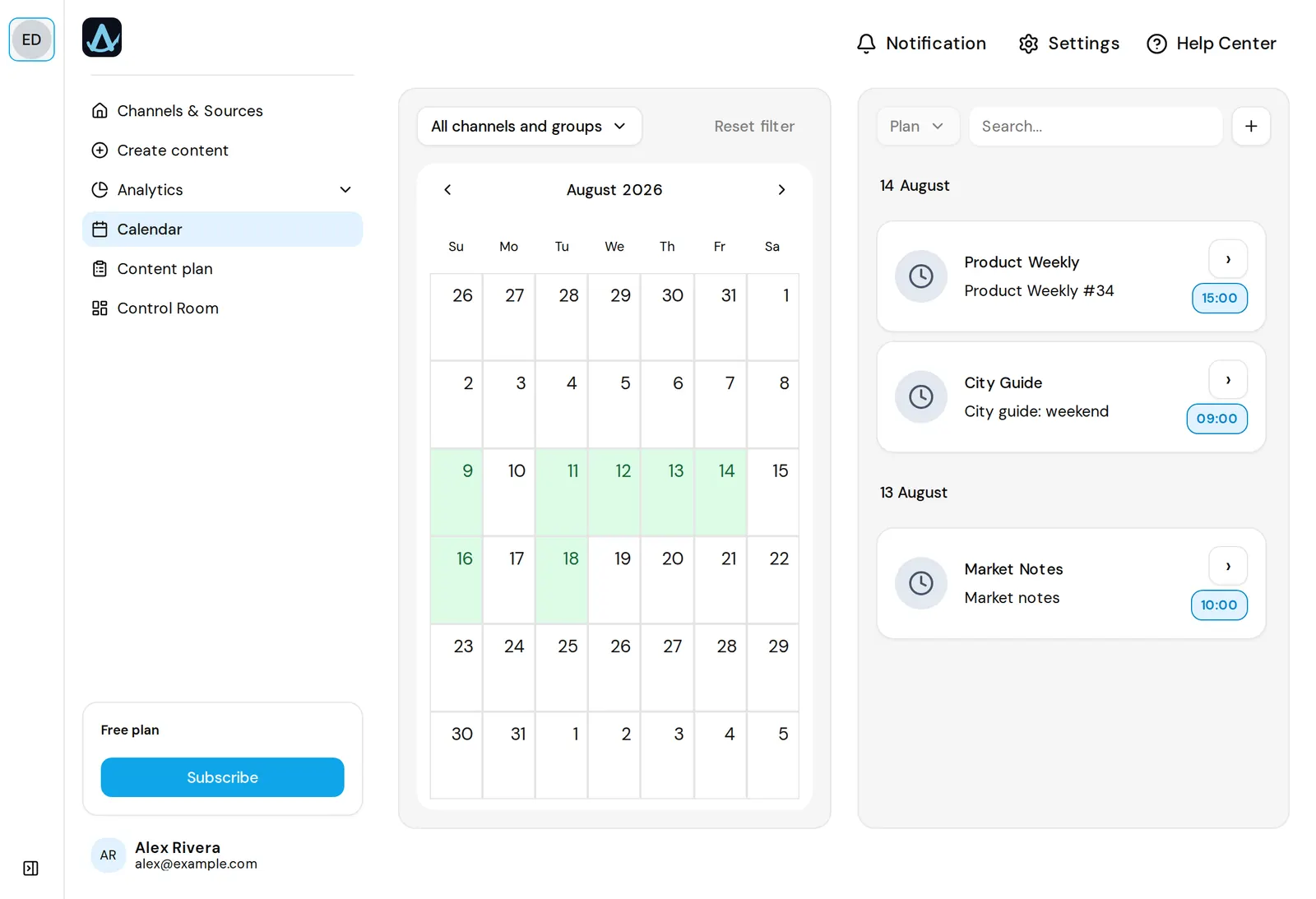
AwrAiter publishes to your channel at the time you choose, from a calendar that shows every channel your team runs. Text with formatting, photos, videos and albums — the way you would post by hand, only on schedule. You connect a channel once: add @awraiter_bot as an admin, press Check, and the AwrAiter service account that publishes joins by itself. Nothing runs on your side.
01 — How it works
Paste the channel link, add @awraiter_bot as an admin, press Check. The AwrAiter service account joins with posting rights; that is the whole setup.
Type it in the editor with markdown, attach media, or let your ChatGPT or Claude drop a draft in through the MCP connector.
Choose a date and time in the channel's own time zone. The calendar shows what is already planned around it, for this channel and the rest of the team.
At the chosen minute the post is sent. Then we ask Telegram whether the message exists. A post Telegram rejected is marked failed and flagged in the Control Room — never shown as sent.
02 — What you can schedule
Bold, italic, links, code, quotes — markdown in the editor, native formatting in Telegram.
Upload files or pass media by URL; music tracks go out as music, with title and performer. Albums keep their order.
A month view across every channel the team runs. Filter by channel; open a post to move it.
A member sees only the channels you allow. Nobody shares a personal Telegram login: publishing goes through one service account.
After sending we confirm the message exists in Telegram. Failures are flagged, never hidden.
Views, reactions and ER show up in the same calendar once the post is out — see channel analytics.
03 — Questions
No. You add @awraiter_bot as an admin once; it brings in the AwrAiter service account that does the publishing. No script and no server on your side.
Yes. Connect up to five Telegram emoji sets to a channel by pasting a t.me/addemoji/… link in its settings, then pick emoji in the editor or let plain ones be replaced automatically. Our publishing account has Telegram Premium, so neither you nor your subscribers need it. A channel connected before the bot existed needs the bot added once for premium emoji to show.
Yes. Pick any of the channels your team has connected; each gets its own copy and its own statistics.
It is marked as failed and the channel is flagged in the Control Room. It is never shown as published; publish again from the editor to see Telegram's error (usually a lost admin right).
One channel is free, without a time limit. Paid plans add channels: three for €9 a month, ten for €20, fifty for €50, two hundred for €99.
Yes. Through the MCP connector your assistant can create a draft and call schedule_post with a time; the post lands in the same calendar.
Each channel has its own time zone, set when you connect it. Slots are shown and saved in that zone.
Connect the channel, schedule the first post, see it verified. No card needed.