Telegram operations
Run your channels like a newsroom.
Your team plans the week, publishes on schedule and reads the numbers in one panel, for three channels or two hundred. You can also run it all from your own ChatGPT or Claude: connect AwrAiter to them and work from the chat.
No card required. One channel stays free with no time limit; you pay from the second one.
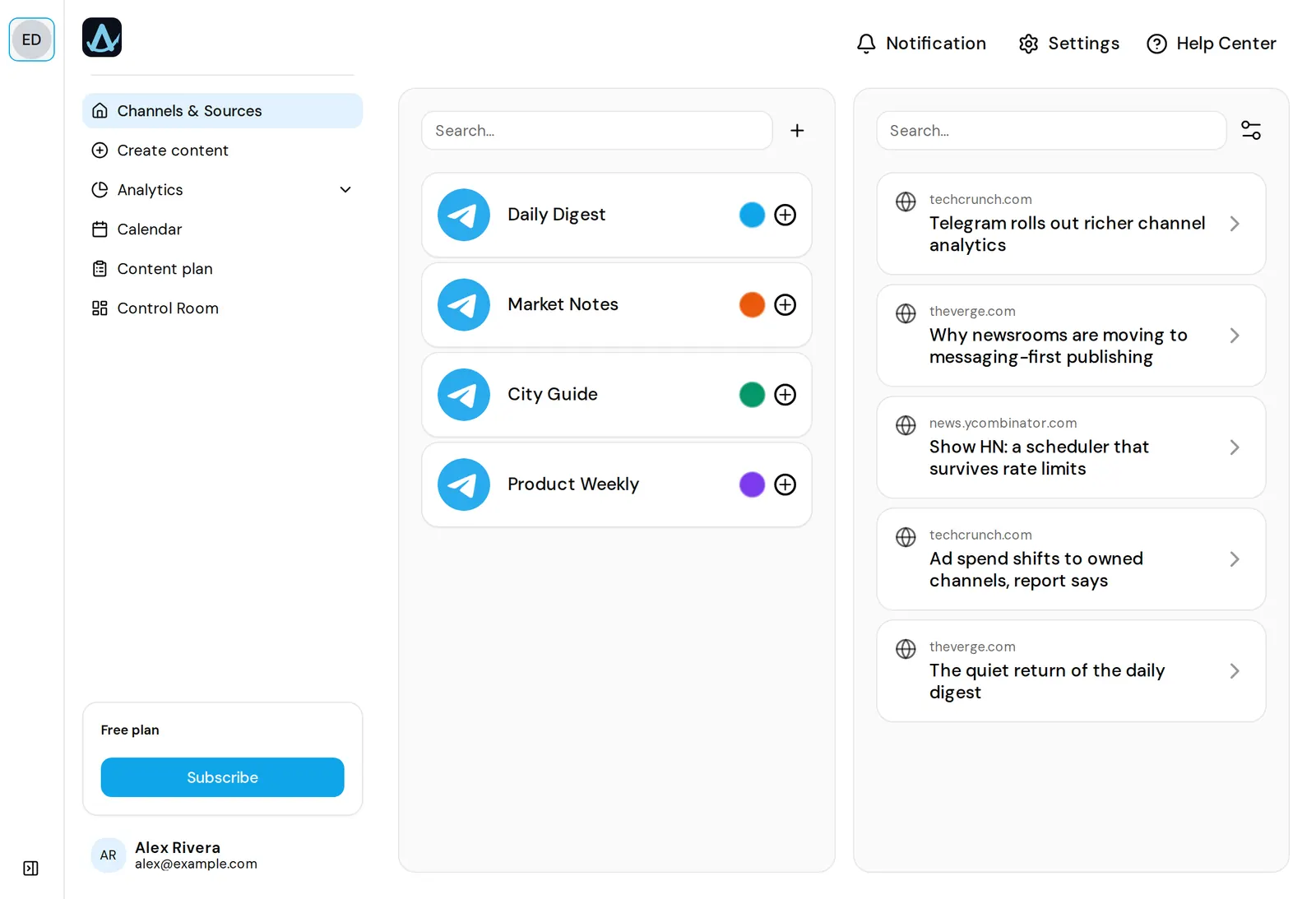
2.5-minute tour
See the panel at work
Connecting a channel, writing and scheduling a post, the calendar, analytics, Control Room, team access, and bringing your own AI over MCP. Recorded in the real panel on sample data.
01 — The gap
Stats tools watch your channel. They can’t run it.
Most Telegram tools count subscribers from the outside and stop there. Deciding what goes out on Thursday, posting it at 18:30 and checking how it did happens somewhere else, usually in three other tabs.
Numbers in one tab
Analytics services show reach and ER, then leave you to publish somewhere else.
Publishing in a bot
A scheduling bot posts on time and forgets the post. There is no plan behind it, and later nobody can tell who posted what.
The plan in a spreadsheet
A content plan nobody has updated since Tuesday, and two people editing the same row.
In AwrAiter a post goes from the plan to the channel and on to its statistics without leaving the panel.
02 — Plan
The week, decided in one place.
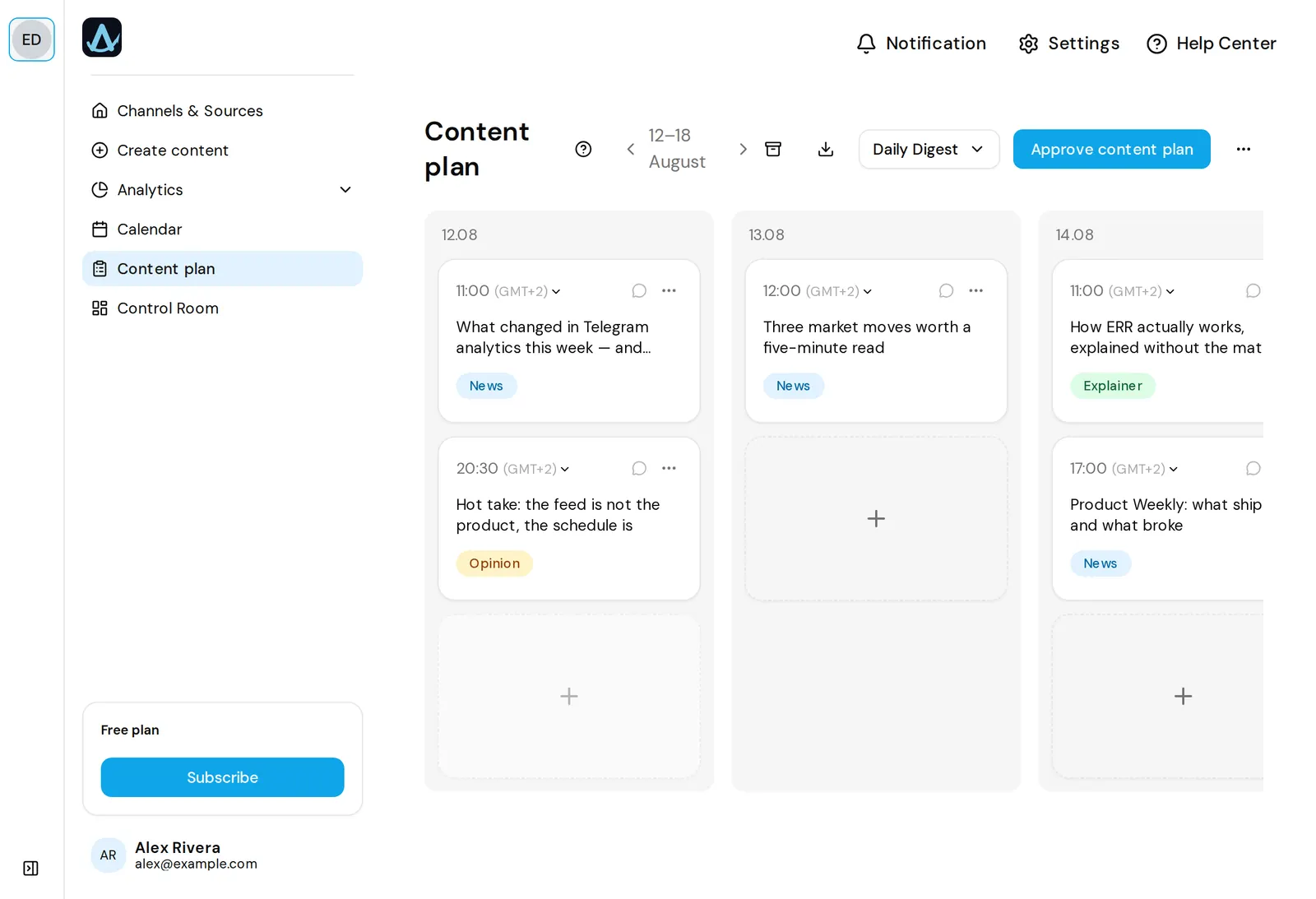
Build a content plan for each channel: topics, rubrics and the time slots they fill. The whole team sees one calendar, so the editor and the SMM manager stop sending each other screenshots.
- Content plan per channel
- Shared calendar across the team
- Sources to watch for ideas
- Roles and per-channel access
03 — Publish
Posts go out on schedule, to the right channel.
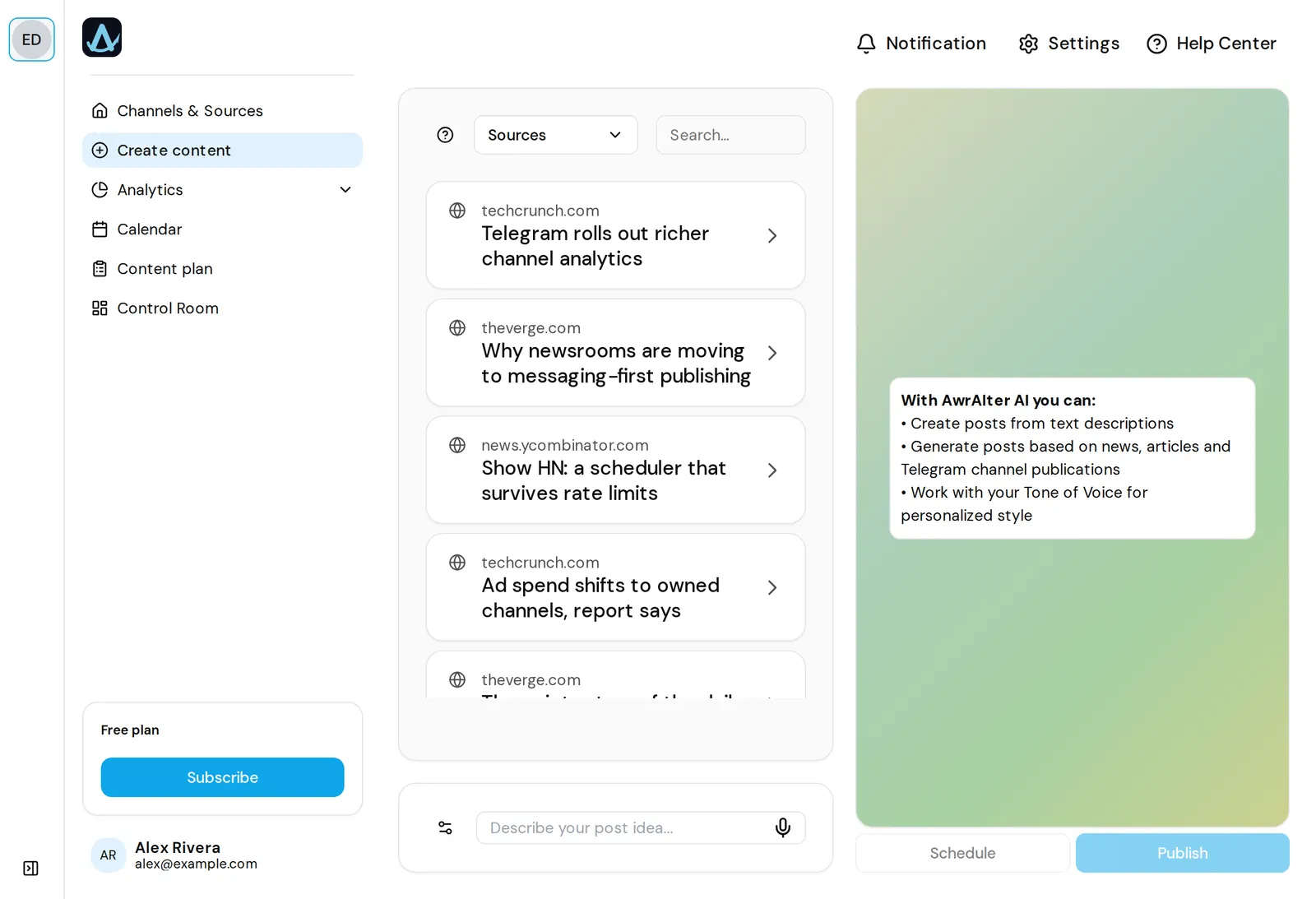
Write the post next to a preview that shows it the way Telegram will, photos, video and albums included, and put it on the schedule. At that time AwrAiter publishes it to the channel, so nobody copies anything out of a drafts folder.
- Preview that matches Telegram
- Scheduled publishing
- Photos, video and albums
- A queue per channel
04 — Measure
Then see how each post did.
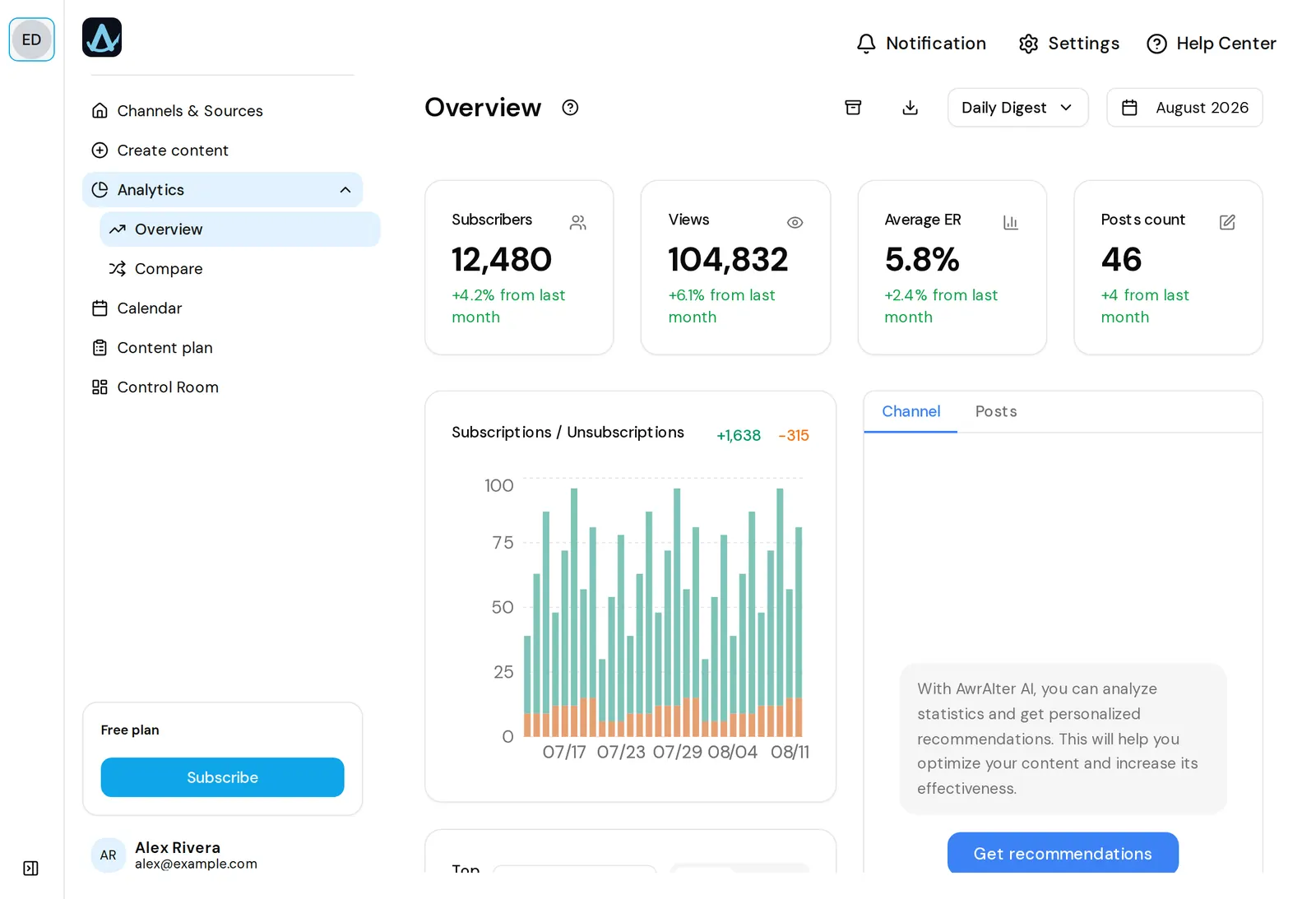
Subscriber growth, ER and ERR, per-post performance, and channel-against-channel comparison over any period. Export to a spreadsheet, or connect Google Sheets and have the numbers land there daily.
- Growth, ER and ERR
- Post statistics and channel insights: what worked, what flopped
- Compare channels and periods
- XLSX, CSV and Google Sheets export
05 — The desk
The details that matter by channel number twelve.
Small things that decide whether five people can run forty channels without a group chat about who posted what.
-
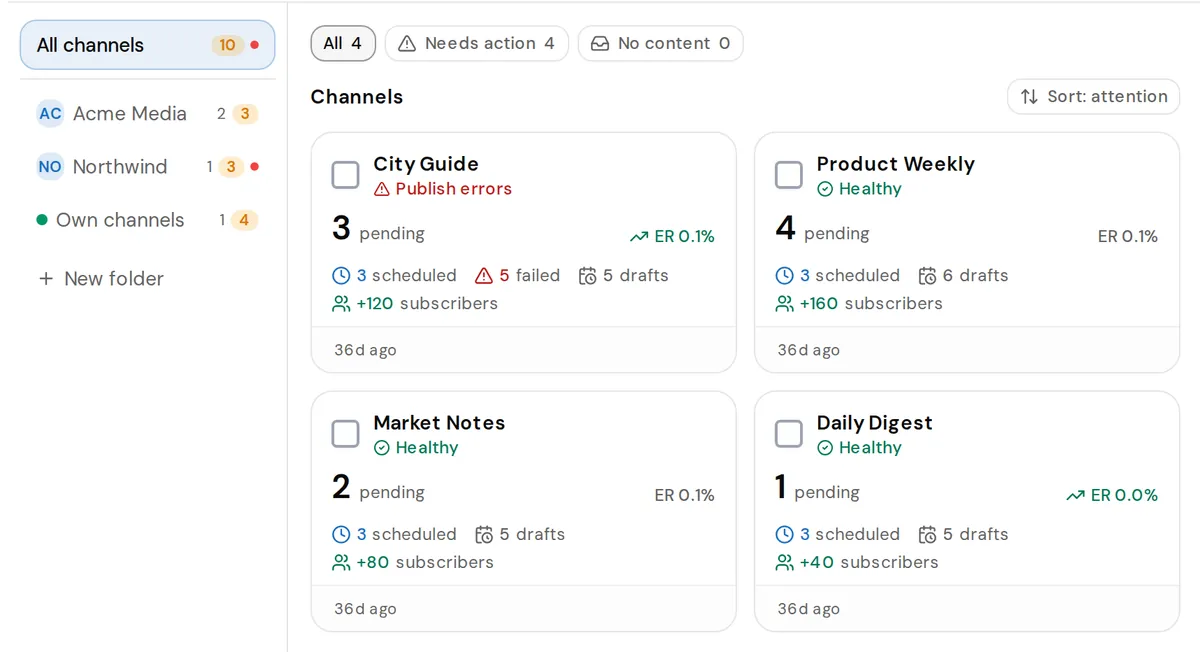
Folders
Channels grouped by client or topic
Sort channels into folders in Control Room and look at one client’s channels at a time, without the other thirty in the way.
-
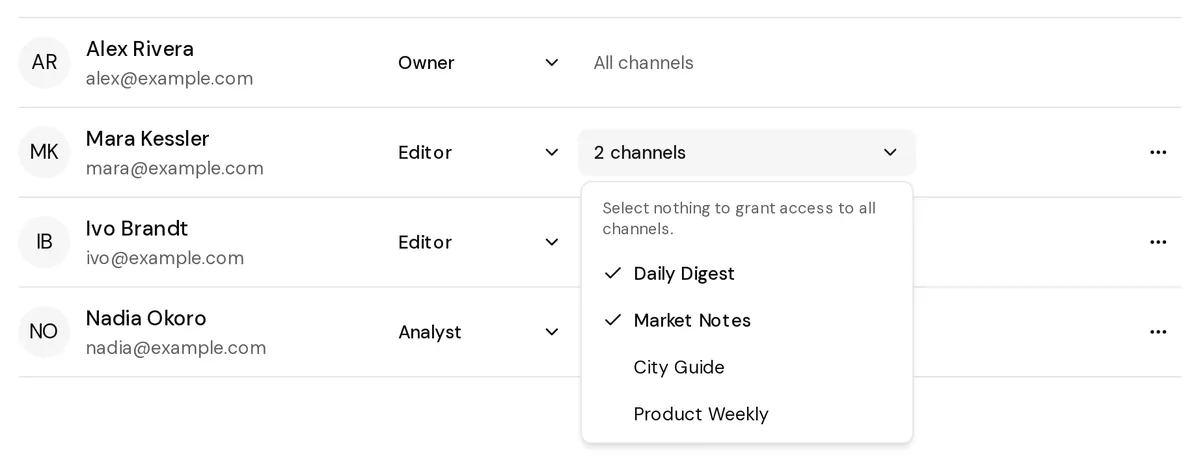
Access
Each person sees only their channels
Limit a teammate to a set of channels. The limit holds everywhere: posts, plans, publishing, analytics and the AI connector.
-
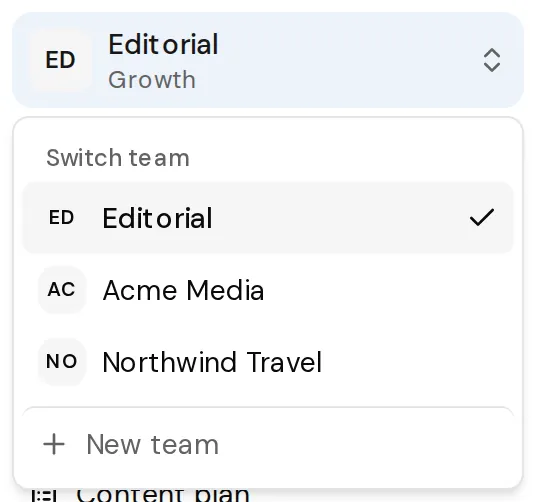
Teams
Separate teams under one login
Run up to three teams from one Telegram account, each with its own channels, people and plan. Ownership can be handed to a colleague.
-
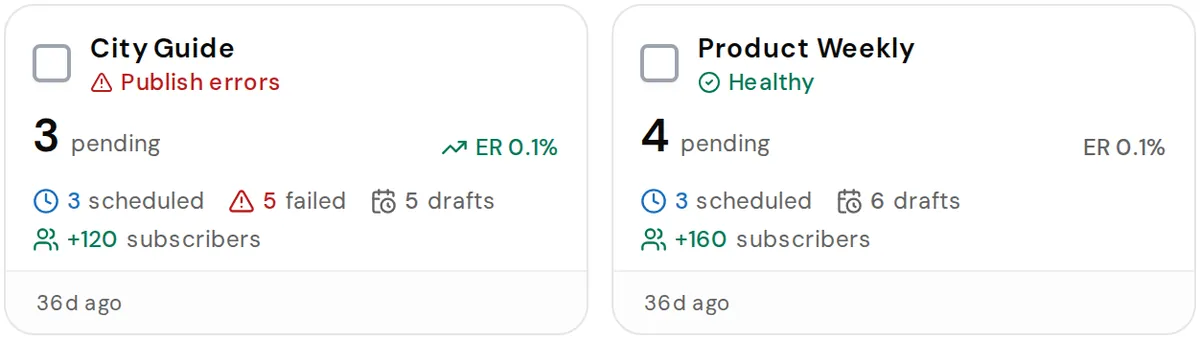
Verification
“Published” means it is in the channel
Once a scheduled post goes out, the panel asks Telegram whether the message is in the channel. If it is missing, the post gets the failed status and does not count as sent.
-
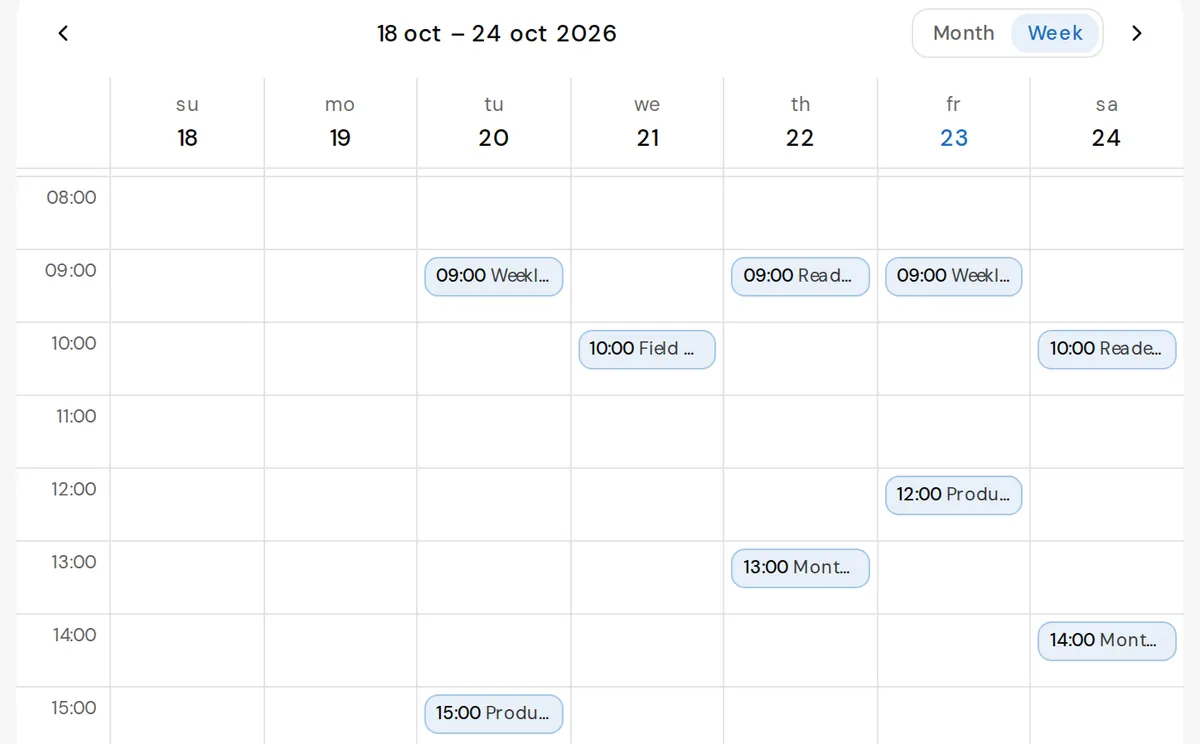
Calendar
Move a post by dragging it
Drag a scheduled post to another day in the month view, or to another hour in the week grid. The publish time moves with it.
-
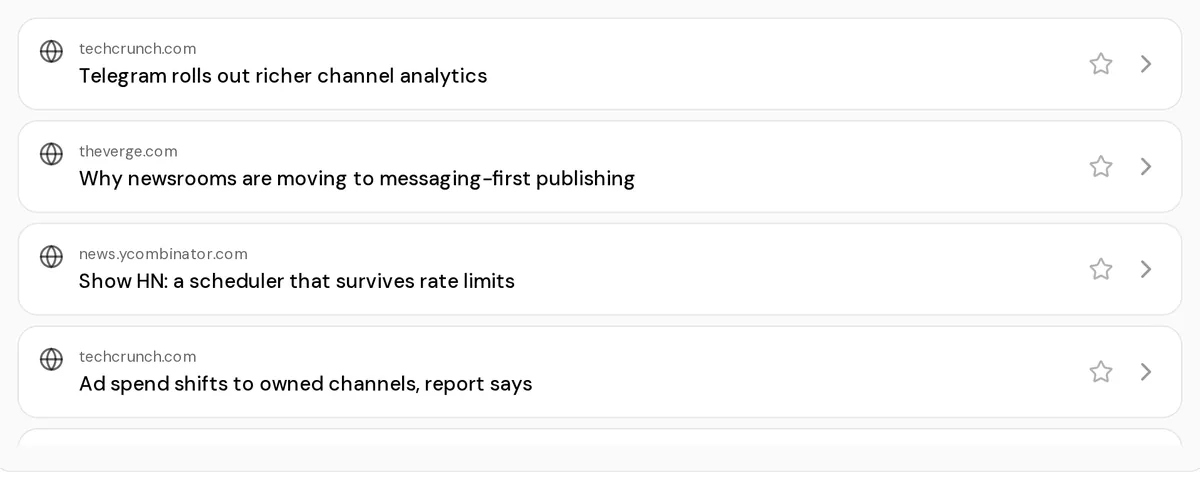
Sources
One story, one card
When a site puts out the same headline again within three days, the sources feed keeps the first copy and hides the repeats.
06 — Scale
Three channels, or two hundred.
Agencies run many channels at once. Seats, roles and per-channel access are included in the plan.
| Plan | Channels | Seats |
|---|---|---|
| Free | 1 | 1 |
| Solo | 3 | 3 |
| Growth | 10 | 10 |
| Business | 50 | 25 |
| Agency | 200 | 100 |
Need an odd number? Extra channels are €1/month each, extra seats €2/month.
07 — Connector
Already working inside ChatGPT or Claude?
AwrAiter speaks MCP. Add the panel to your assistant as a connector and ask it for last month’s numbers or a plan for next week. It works through your account and can do only what your role allows.
Included on every plan, the trial too. Authorisation runs over OAuth, so no tokens get pasted into a chat window.
08 — Getting started
Three steps to the first scheduled post.
-
Sign in with Telegram
The official Telegram login. There is no password to create.
-
Add your channel
Make our bot an administrator of the channel. The wizard walks you through it and tells you when the channel is ready.
-
Plan and publish
Put a post on the calendar. It goes out at the time you set, and its numbers show up in analytics.
09 — Pricing
The price depends on channels and seats.
Every plan includes the whole panel: planning, publishing, analytics, exports and the MCP connector. Plans differ in how many channels and people they cover. Paid plans also open detailed channel insights, so your AI assistant sees which posts worked and which flopped, with their texts.
-
Free€0
One channel and one person with no time limit. You get the whole panel, and we don’t ask for a card.
Start for free1 channel1 seat -
Solo€9/month
A small set of channels and a couple of hands.
Choose Solo3 channels3 seats -
Most chosen
Growth€20/month
A working portfolio with a real team around it.
Choose Growth10 channels10 seats -
Business€50/month
Serious volume, with access split across the team.
Choose Business50 channels25 seats -
Agency€99/month
For hundreds of channels and dozens of people.
Choose Agency200 channels100 seats
Prices in euro, billed monthly. Cancel in the panel at any time; the plan runs to the end of the period you paid for.
10 — Questions
Before you connect a channel.
Do I have to hand over my Telegram password?
No. You sign in with the official Telegram login, so there is no separate password. To connect a channel you make our bot an administrator, the same way you add any other admin. Remove the bot and the connection ends.
Does it publish, or only remind me?
It publishes. A scheduled post goes to the channel at the time you set, without anyone opening the app.
What counts as one channel?
Every Telegram channel you connect takes one slot on your plan. You can disconnect a channel and connect another in its place.
Can my team work in it?
Yes. Paid plans come with seats and roles, and you can decide which channels each person sees.
Where does my data live?
On our servers in Germany. You can export your data from the panel, and delete your account and its data from the same place.
What happens if I stop paying?
The subscription runs to the end of the period you paid for and then drops back to the free tier. Nothing is deleted: every channel stays connected and your data stays exportable, but only one channel keeps publishing and showing statistics until you pick a plan again.
Can I run it from ChatGPT or Claude?
Yes. AwrAiter is an MCP server: paste https://awraiter.ai/mcp into your assistant as a custom connector, sign in with Telegram once, and it can pull statistics, draft posts and publish them from the chat. Step-by-step instructions for each assistant: awraiter.ai/support